AboutAbout
GitHubGitHub (opens in a new tab)
  • Introduction
  • Another Page
  • Authorization
    • Technicals
      • Access Levels
      • Access Term Lengths
      • Authorization Request
      • Invitation Code
    • Invite a User
  • Resources
    • Branding Guidlines
    • Regions
  • Settings
    • Change Profile Picture
  • Introduction
  • Another Page
  • Authorization
    • Technicals
      • Access Levels
      • Access Term Lengths
      • Authorization Request
      • Invitation Code
    • Invite a User
  • Resources
    • Branding Guidlines
    • Regions
  • Settings
    • Change Profile Picture
  • About

On This Page

  • Accessing Settings
  • Method One
  • Method Two
  • Things You Can Do In Settings
Question? Give us feedback → (opens in a new tab)Edit this page
Settings

Settings

Accessing Settings

Settings for your Ark account can be accessed via two methods.

Method One

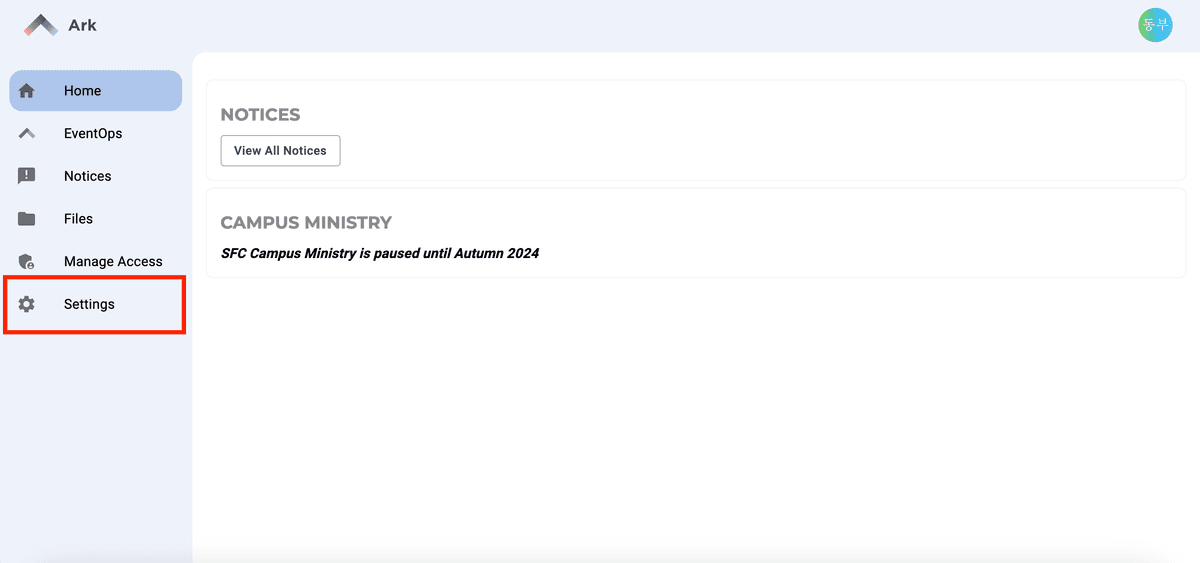
Click the Settings button located on the side menu bar.
Method Two

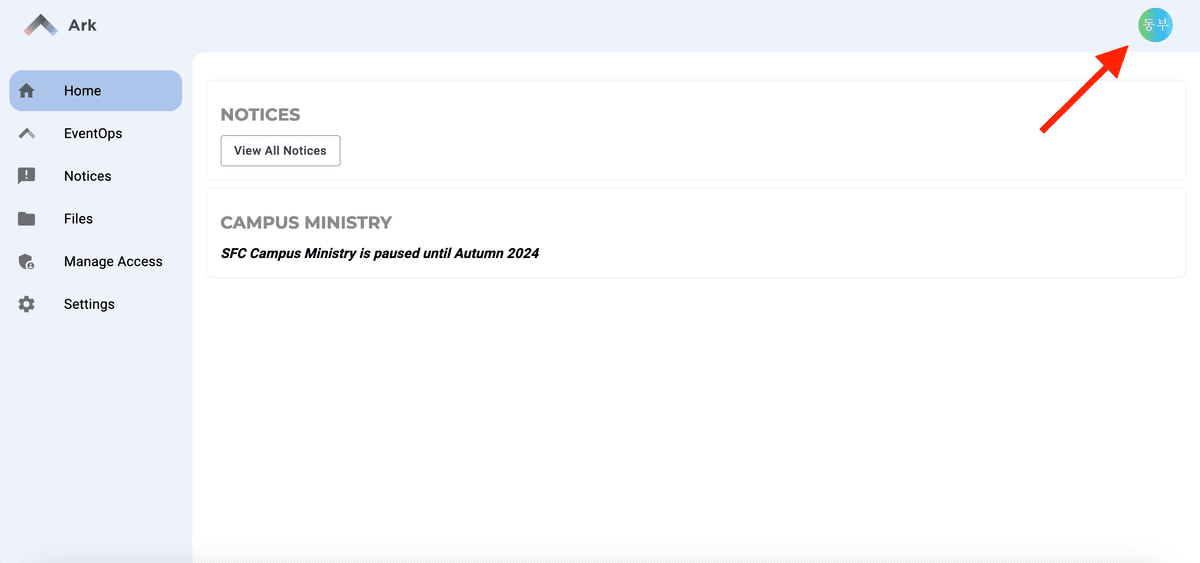
Click your profile picture (located on the top right corner of the page).
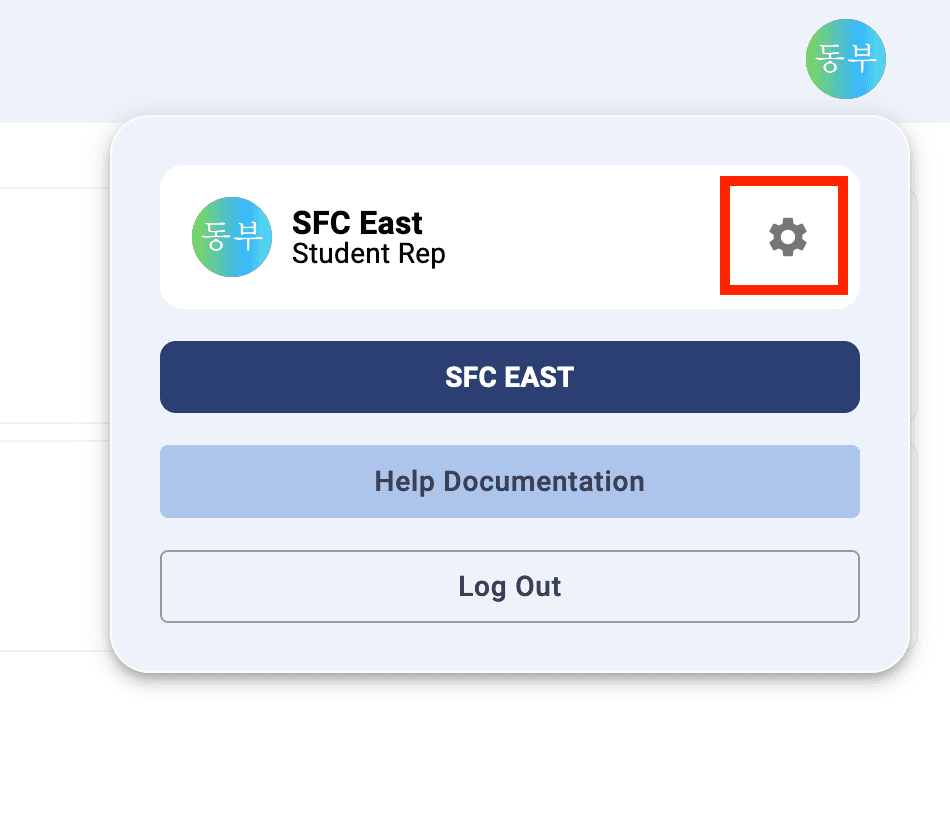
The click the "gear" icon on the modal menu.
Things You Can Do In Settings

  1. Change Your Profile Picture
  2. Update Your Personal Information
  3. Update Your Password
  4. Request a New Role
RegionsChange Profile Picture

Copyright 2024 SFC Northwest